r444 App — Download APK for Android
Get the r444 app on your Android phone in under 3 minutes. Play slots, live casino, and cricket betting. Deposit with bKash or Nagad — straight from the app. Works on Android 6.0 and above, completely free.
v3.6.1 · 52 MB · Android 6.0+ · Free
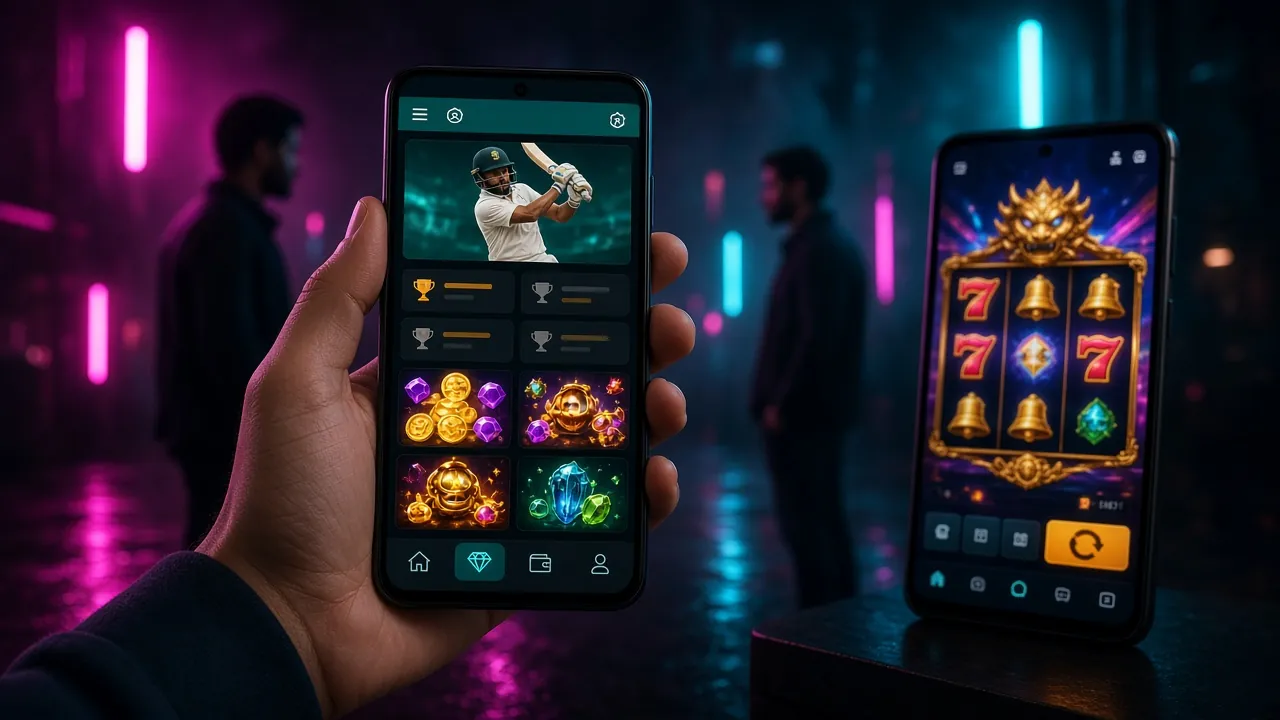
What's Inside the r444 App
Slots & Crash Games
Play over 1,500 games from JILI, Pragmatic Play, Habanero, and FA Chai. Titles like Dragon Gate, Big Hammer, and The Great Icescape load fast on the app — no browser lag, no dropped sessions. Minimum bet starts at ৳1.
Live Casino Tables
Join live dealer rooms powered by Evolution and Sexy Gaming. Baccarat, roulette, and Dragon Tiger stream in real time. The r444 app keeps the video sharp even on a 4G connection — tested on Grameenphone and Banglalink networks.
Cricket & Sports Betting
Bet on BPL, IPL, T20, and ODI matches as they happen. The app shows live scores, updated odds, and match stats on one screen. Place a bet in under 10 seconds — before the over ends. Markets update automatically.
bKash & Nagad Payments
Deposit via bKash, Nagad, Rocket, or Bank Transfer without leaving the app. Funds appear in your r444 wallet within 5 minutes. Withdrawals process in about 30 minutes on most days. Minimum deposit is just ৳100.
Push Notifications
Get notified when your withdrawal is approved, when a live match is about to start, or when a new promotion is available. You can turn these on or off from the app settings at any time — no spam, just useful alerts.
Dark Mode & Offline Lobby
The app supports a dark display mode — easier on the eyes during late-night sessions. Game thumbnails load from local cache so you can browse the lobby even when your connection briefly drops. Games themselves need an active connection.
Download the r444 APK
All version details below are from the latest official build. If you have an older version installed, uninstall it first — then install fresh to avoid conflicts.
| App Version | 3.6.1 |
|---|---|
| File Name | r444.apk |
| File Size | 52 MB |
| Minimum Android Version | Android 6.0 (Marshmallow) or higher |
| Last Updated | 3 November 2026 |
| Price | Free — no charges to download or install |
| Languages | English, Bangla |
| iOS Support | No native app — use the mobile website or "Add to Home Screen" (see guide below) |
| Download Source | Official r444 website only — do not use third-party APK sites |
Android Installation — Step by Step
Android blocks APK files from unknown sources by default. You need to allow this once before installing the r444 app. The setting is safe to turn back off after installation if you prefer.
-
1
Allow "Install Unknown Apps"
Go to Settings → Apps & Notifications → Special App Access → Install Unknown Apps. Find your browser (Chrome or any browser you use to download). Toggle "Allow from this source" to on. On Samsung phones, the path is Settings → Biometrics & Security → Install Unknown Apps. You only need to do this once.
-
2
Download the APK File
Tap the Download APK button on this page. Your browser will save r444.apk (52 MB) to your Downloads folder. On a Grameenphone 4G connection, the download usually takes under 60 seconds. If your connection drops mid-download, tap the button again — it will restart.
-
3
Open the Downloaded File
Swipe down from the top of your screen to open the notification shade. Tap "r444.apk — Download complete". Alternatively, open your File Manager → Downloads folder and tap the file there. A prompt will appear asking if you want to install this application — tap Install.
-
4
Wait for Installation to Complete
The install takes about 15–30 seconds. You will see "App installed" when it is done. Do not close the screen or turn off your phone during this step. If you see a "Blocked by Play Protect" warning, tap More Details → Install Anyway. This warning appears because the APK is not from the Play Store — it is still safe.
-
5
Log In or Create an Account
Tap Open from the installation screen, or find the r444 icon on your home screen. If you already have an account, log in to r444 using your phone number and password. New players can tap Register inside the app — it only takes 2 minutes. Your welcome bonus activates on your first deposit.
iPhone / iOS — Add r444 to Home Screen
Apple does not allow sideloaded APK files. iPhone users can add the r444 website to their home screen as a web app — it works like a native app, with the same games and payments.
-
1
Open Safari
Go to r444.world in Safari (not Chrome — only Safari supports the "Add to Home Screen" feature on iPhone). Log in or create your account first so the shortcut opens straight to your lobby.
-
2
Tap the Share Icon
At the bottom of Safari, tap the box-with-arrow icon (the Share button). Scroll down the share sheet until you see "Add to Home Screen" — it has a small plus icon next to it.
-
3
Confirm and Add
Type a name — "r444" works well. Tap Add in the top-right corner. The r444 icon will appear on your home screen. Tap it to open the site in full-screen mode without the browser bar at the top.
Games Available in the App
View full casino

r444 App vs Web Browser
Both give you full access to games and payments. The app adds a few practical advantages for daily players. The web version is a solid fallback on any device, including iPhones and shared computers.
| Feature | r444 App (Android) | Web Browser |
|---|---|---|
| Download required | Yes — 52 MB one-time | No — open instantly |
| Game load speed | Fast (cached assets) | Standard |
| Push notifications | Yes | No |
| Offline game lobby | Browse offline | Requires connection |
| bKash / Nagad payments | Yes | Yes |
| Live casino streaming | Yes | Yes |
| Full game library | Yes — 1,500+ games | Yes — 1,500+ games |
| iOS compatible | Android only | All devices |
| Auto-login remembered | Yes | Depends on browser |
| Dark mode | Yes | Not available |
Security & Permissions
The r444 app only requests the permissions it actually needs. Your personal data and payment details are encrypted in transit and at rest. Below is what the app accesses and why.
SSL / TLS Encryption
All data sent between the r444 app and our servers uses TLS 1.3 encryption. This includes your login details, payment requests, and game session data. Your bKash PIN is never stored or transmitted through r444 servers — the bKash payment flow happens directly on bKash's own system.
Device Permissions Used
The app requests: Internet (required for games and payments), Notifications (optional, for deposit confirmations and match alerts), and Storage (to cache game thumbnails for faster browsing). It does not access your camera, contacts, microphone, or location.
Only Download from r444.world
The only safe source for the r444 APK is this page — r444.world/r444-app/. Third-party APK mirror sites may distribute modified files that contain adware or malware. If you downloaded from another site, uninstall that version and reinstall from here. Check the version number matches 3.6.1.
Account Security Tips
Use a strong, unique password for your r444 account. Enable two-step verification in Account Settings if available. Never share your login credentials with anyone who contacts you claiming to be r444 support. The real support team contacts you via the in-app chat — not through WhatsApp or Telegram.
Common Installation Problems & Fixes
Most installation issues have a quick fix. If none of the solutions below work, contact [email protected] or use in-app live chat.
| Problem | Likely Cause | Solution |
|---|---|---|
| "Install blocked" message | "Install Unknown Apps" is not enabled for your browser | Go to Settings → Apps → Your Browser → Install Unknown Apps and turn it on. Then try installing again from your Downloads folder. See Step 1 of the installation guide above for exact paths by phone brand. |
| APK download stops at 0% | Weak internet connection or browser cache conflict | Switch to mobile data if you are on Wi-Fi, or vice versa. Clear your browser's cache (Settings → Privacy → Clear Cache), then reload this page and tap Download APK again. The file is 52 MB — make sure you have enough storage space free. |
| "Parse error" during install | Corrupted or partially downloaded APK file | Delete the existing r444.apk file from your Downloads folder. Re-download from this page using a stable connection. Do not interrupt the download. If the error persists, try a different browser (Firefox or Chrome). Check your Android version is 6.0 or higher. |
| App crashes on launch | Old APK version conflicting with a newer install, or low RAM | Uninstall the current r444 app completely (Settings → Apps → r444 → Uninstall). Download the latest APK (v3.6.1) from this page and reinstall. Close all other apps before launching r444 if your phone has less than 2 GB of RAM. |
| Games won't load inside the app | Poor internet speed or outdated app version | Check your connection speed — live casino and slots need at least 3 Mbps. Update to v3.6.1 if you are on an older version. If only certain game providers fail, the provider may have brief maintenance. Try again in 10–15 minutes or switch to a different game category. |
Frequently Asked Questions
Download the r444 App Now
Fast & Lightweight
Just 52 MB. Installs in under 3 minutes on any Android 6.0+ phone. No bloat, no hidden background data. Works on Grameenphone, Banglalink, and Robi connections — even on 3G.
Built for Mobile Play
Full game lobby, live casino, and sports betting on one screen. Swipe between slots and live dealer tables without reloading. Portrait and landscape both supported.
bKash & Nagad Inside
Deposit via bKash, Nagad, or Rocket without leaving the app. Minimum ৳100 deposit. Withdrawals processed in about 30 minutes directly to your mobile banking account.
Secure & Always Free
The APK is signed and scanned before every release. No charge to download, no subscription. Your account data is protected with SSL encryption on every connection.